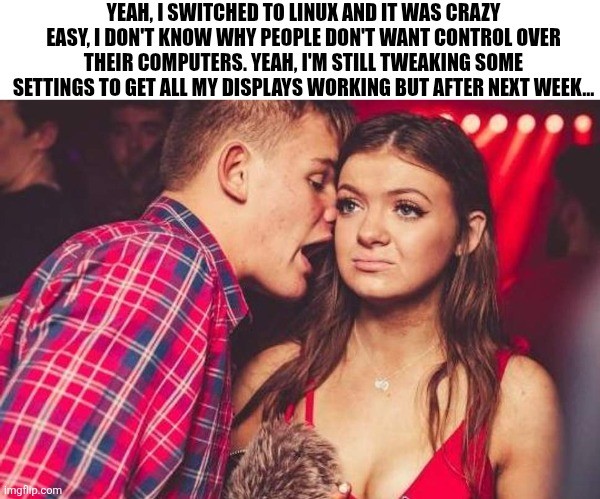
Edit: I’m glad so many of you have had no issues with multiple monitors. My set up is a little unusual (3rd display is an infrequently used large tv hooked through the receiver) and is definitely solveable but will take some effort (and honestly, I’d rather spend my spare time outside or with friends, so who knows when I’ll fix it.)
My wife was laughing when I showed her this meme.
infrequently used large tv hooked through the receiver
This makes it seem like Linux has a problem with multiple monitors when you just aren’t supposed to connect your 80s AV hardware between TV and computer. You should absolutely expect that to either require an active convertor to your obsolete shit AND OR cutting out the intermediary. If you are going to use weird shit its on you to actually understand how it works.
Out of all the people on earth you might literally be singular person anywhere with this setup. Meanwhile everyone else is just plugging in shit and watching it work.
I mean, they joke but inertia is Microsoft’s mightest weapon.
Literally just “My computer works now, why would I want to change it?”
Incidentally, getting someone on Linux (or Apple for that matter) to switch to Microsoft is also like pulling teeth.
Also, for many people, they don’t actually understand the difference between the device and the OS. You buy a laptop and thats the whole thing, including the OS.
I haven’t had trouble getting displays working since 2007.
Good for you. I still can’t get Wayland to support more than one 144Hz display.
Works on my machine
I have trouble getting real displays working all the time…
Needing to know which serial port is which and manually tellling the kernel via console=ttyS0,115200 or whatehaveyou is annoying…
What other displays could people mean?
That’s a job for your bootloader
I’m another data point where displays work under Linux better than Windows, making this particular example amusingly wrong.
This is a Dell precision laptop with a dual usb-c connected docking station. Intel cpu plus a discrete nvidia gpu.
Using Cinnamon in X11 on Linux Mint or LMDE, works great.
Using KDE Plasma in Wayland on Debian? Works great!
Using Windows 10? Bzzzt.
I think I’ve had Linux DEs occasionally forget my monitor order & rotation just like Windows would, but out of the box Windows wouldn’t even use all my monitors.
The trick is to buy linux-approved hardware.
For example, there are specific machines which are approved by ubuntu as officialy working with ubuntu.
Thinkpads are generaly good to use.
Consumer Thinkbooks (Shitbooks) like the 16 G7 IML are NOT at all compatible.
You gotta work your hardware around linux a bit.
Thinkbooks are actually decent (quality-wise), but the ideapads - fuck them, I’m never making that mistake again, I hate typing on practically rocks and having no upgrade path.
Well yea, but that doesn’t change that nothing works on linux on thinkbooks… That was my point