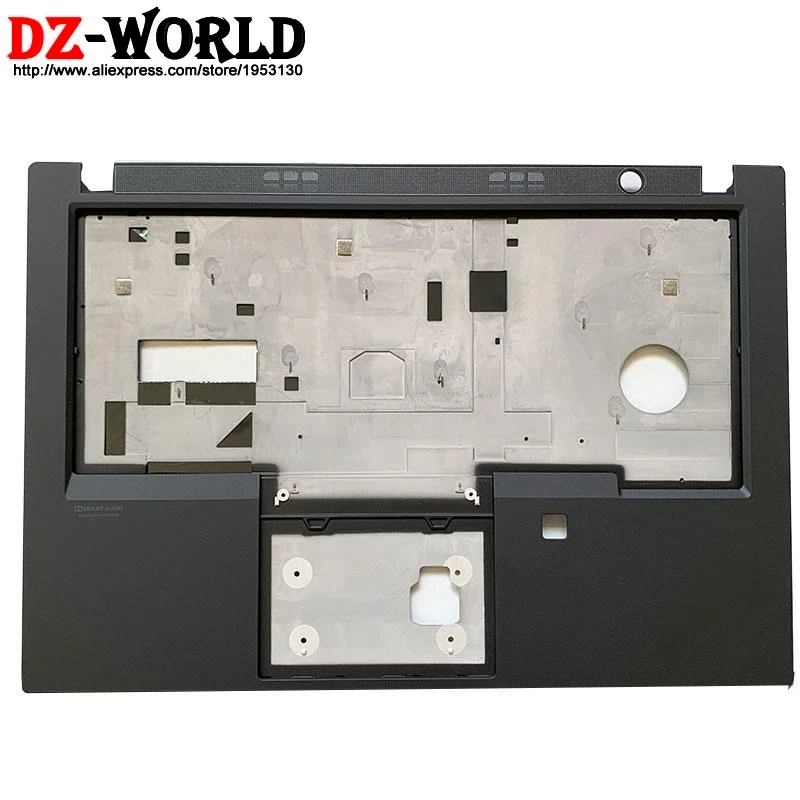
They got scared by Framework sucess
I picked up a 2025 P14s Gen 6. Wanted Ethernet and the ability to easily swap both RAM sticks in the future. Apart from the soldered WiFi chip, this computer is by far one of the most modern and repairable ones I’ve seen. Perfectly runs Fedora KDE, too.
T series are also fantastic, but at the time it wasn’t as repairable given one RAM stick was soldered and the other was replaceable. Also because of the form factor it didn’t have Ethernet.
Can’t go wrong with a P series if your needs are similar to mine in a computer for long-term use.
Could they please cooperate with Framework and create Universal Joints?
At a guess, such cooperation would undermine Lenovo’s profit margin and would thus be a non-starter for them.
Enter government regulation, to pinch corporations by the ear and drag them to doing what’s right for society.
Just a lil nitpick: article is by iFixit who is a Lenovo business partner. So perhaps less objective than one might hope.
They even state it them selves in the article, so it is not like they are trying to hide this. Also they say that this is not the end all be all of reparability, which IMO should merit not then getting a 10/10 but idk what their metrics are.
It seems to me that Lenovo’s repairably is more affected by that iFixit partnership than the opposite. I don’t see anything factually wrong or suspicious in the article.
Nevertheless, a conflict of interests is possible.
As someone who has changed a laptop keyboard before.
That picture says it all.
This is true, but they’re also not wrong that fully-modular USB-C ports is an absolutely huge win. It’s one of the biggest things when it comes to laptops these days.
I use iFixit’s guides all the time, so I would hope that their score isn’t affected by it. I’ve seen them as being fairly good at their role.
It’s unlikely that fact will change the repairability of the devices. They risk too much by posting biased and false information on that end.
There’s a difference between ‘repairable’ and ‘upgradable.’ Most of the comments seem to conflate the two. Lenovo isn’t doing a Framework.
It’s a smart move. Differentiates them from other laptop-makers for corporate IT, who can do the parts swaps themselves. Also smart is associating the brand with iFixit and working to get a 10/10. That’ll be what sets them apart from all the others, at least for the next year or two.
There’s a difference between ‘repairable’ and ‘upgradable.’
Absolutely! I’ve got a Lenovo IdeaPad Flex 5 (laptop/tablet thingy).
I’ve upgraded/replaced the ssd - no problem.
Unfortunately, this laptop has an issue with the keyboard: the left section/panel intermittently stops sending inputs. Meaning, keys like escape, a, w, shift, l-control - just stop (even in the bios). I’d read that they keyboard “collects” static which causes problems with certain sections of the keyboard.
I thought I’d see how difficult it would be to replace the keyboard. I watched a teardown video, and of course you need to remove everything… but I lost it when, the person in the video used a heat gun to melt “plastic rivits” that connected the keyboard to the motherboard case. Then with the replacement keyboard needed to remelt the plastic rivits.
This laptop is not repairable. In fact, I swore I’d never buy another Lenovo again as a result. … but if their focus is on making them repairable (and their recent partnership with GrapheneOS) - I might be eating crow tonight.
The “upgradability” part in a small laptop is questionable to me, anyway.
The GPU is really compromised in that chassis, as having it in a slot compromises cooling big time, and limits how much power it can use. And while I love upgradable RAM for the CPU… it’d be better if they used faster CAMM modules. Many other brands have upgradable SSDs/WiFi.
Swappable ports are awesome, no question.
A think pad t series is not really much harder to take apart than a framework. Just more screws and fewer magnets. The screen is probably an exception however.
That’s his point. It’s similar to framework, but not the same.
Easy repairability is great, truly.
But framework offers more than that, easy repairability AND upgradability, because they offer new upgraded parts with the same compatibility as the old ones, so you can just drop them in.
Lenovo is not yet doing that. Which is fine. Just a noteworthy difference.
While easy to repair, how does durability compare so you don’t need to repair it in the first place?
While not bad like an HP consumer grade laptop, I have not heard good things about the rigidity of the frameworks. All the modularity takes away space for reinforcement and leaves more points for things to break.
I would be curious to see how often people actually upgrade their frameworks.
I agree with their repair stance. It just feels like one of those things people will tell you they want and then never do.
Still maybe the explosion in memory prices will change the incentives and people will start holding things longer. It will be interesting to see.
I would be curious to see how often people actually upgrade their frameworks.
For me, I’ve upgraded my mainboard to a newer CPU generation for better integrated graphics (old one is in a case as a home server) and I upgraded to their matte screen when they released those.
It is a bigger deal in business settings, where one laptop can see multiple hands and you’ve got a team dedicated to repair.
Not typically an issue for the individual user, but always an issue for a team of users.
I’ve been a ThinkPad user for about 4 years now, got a second-hand T470s running Fedora. It’s been an amazing experience! I’m not one for brand loyalty, but (so long as Lenovo doesn’t fuck them up) ThinkPads will always be my first choice for a laptop.
I’ve been wandering the laptop desert for a few years now. Lenovo, Dell, System76, Framework, StarLabs.
I’m currently on a Dell Pro 13, but the keyboard really sucks and the hardware isn’t fully Linux compatible.
StarLabs had keyboard issues and terrible battery life.
Framework seems like Linux was an after thought. Their HiDPI display isn’t fully Linux compatible.
I recently got my parents an X13 and everything just works. Camera, Bluetooth, graphics, display. All good.
I prefer 13in screens, but I’ll take the repairability of the T14 gen 7!
Yeah I like Lenovo in general too! I have an Ideapad rather than a Thinkpad, but this is my second Lenovo and they’ve both lasted for ages, never had any weird problems, played nice with Linux etc.
Schematics or die
Lenovo also owns the Motorola phone brand, and they’re going to adopt/allow GrapheneOS. I think they know how to grab customers right now, and I honestly like it.
They’re usually also well supported on Linux, and even sell them with Ubuntu pre-installed. Generally not a terrible brand.
Didn’t they have some huge controversy for having spyware pre-installed or something like that a few years ago? Doesn’t take away from the direction they’re moving in now, though! Hopefully they continue to move in this more pro-consumer direction.
Yeah the Superfish incident. AFAIK they haven’t done anything sketchy since then and if you’re the type to just wipe everything and install your own distro anyway it shouldn’t really affect anything but still not a great look.
I presume you are referring to the SuperFish scandal in 2015.
Ubuntu? Yeah. It’s pretty much the only distro I will recommend against using (the Ubuntu spins are usually fine though). They offer Fedora as well though.
Is that a good idea for a non tech person* with no Linux experience who absolutely needs to send documents successfully to others the first time without delay or should I just wait until my degree is finished and I am less dependent on document interoperability and have fewer absolute deadlines?
- My level of technical knowledge is here: if a program or usb device isn’t functioning, I know to check the driver, but I always have to look up what the device manager is called. On the other hand, I am capable of looking things up and following simple instructions, which has to count for something.
You’re exactly at the perfect level to start getting your feet wet without losing productive time (as long as you don’t go on a distro-hop frenzy 🤣).
Weirdly enough, you’re way ahead of 99% of the tech-using population worldwide.
If your computer has 4+ cores/threads and 8GB or more of ram, I’d set up a virtual machine to test it out.
Linux itself works just fine for anything, but it’s different. There’s a learning curve and you might find that the thing you need to do immediately has a different process than what you’re used to, or needs some setting up first. There’s also always formatting differences between word and libreoffice writer (same can be said for different versions of word), and some higher level excel things that aren’t easy or not possible in calc.
You’re as prepared as anyone ever is. Getting good with a search engine is the best preparation.
Also, if that fails? Most distros have a forum where you can ask for help and actually get it.
Document interoperability? LibreOffice works well, and you can save in all the same formats as MS Office and more.
The learning curve is mostly what the new tools and programs are called. But so much stuff actually works better over there in Linux land - VLC, Krita, Blender, Audacity, much more.
Try things in a Virtual Machine! If you really can’t give up some of your windows tools, you can try dual-booting, but Windows Update doesn’t always play nice with another OS on the machine.
Also, don’t forget creating a bootable USB stick with the distros you think you’d like. Rufus or balena etcher should get you there, just figure out what distros you think you’d like to try out, as sometimes it can be easier to set those up than create a vm, plus you might be able to notice any obvious issues running natively.
your level of technical knowledge is so far beyond the average person’s that it’s insane. the idea of ‘my computer has a problem, i’m going to google what the popup says’ simply does not occur to so, so many people.
also- you can definitely make and send documents with linux, no problem. more popular distros (ubuntu, mint, fedora (which i recommend, but im biased)) are as intuitive and point-and-click for surface level use as Windows is, and most come pre-installed with an office suite.
You can try out most Linux software immediately on Windows, so you know what you’re in for. LibreOffice and GIMP work in Windows, but that isn’t really true the other way around with Office and Photoshop. Your mileage may vary when it comes to tolerating these alternatives.
Depends. If you use Google docs or the browser version of Office 365 (or whatever it’s called now) you’ll be fine. If you want to use an offline document editor, you’ll need to be technical enough to understand the difference between file formats like doc, odf and pdf.
If you receive a doc file, edit it in LibreOffice and send it back, the recipient might complain that the layout has shifted slightly.
If you need to be absolutely sure the recipient gets the document layed out exactly as you created it and they don’t need to edit it, exporting to pdf is a good option.
If you need to send or receive Excel/spreadsheet files you might have a bad time, I think. Though interoperability there may have improved since the last time I tried that sort of thing.
Before switching to Linux, download the Windows/Mac version of LibreOffice or OnlyOffice and see if it suits your needs. If not, it should be possible to run Office 365 on Linux using Wine or Winboat. However, Wine might not work or require too much tinkering for the average noob. Winboat should be more foolproof, but will increase the startup time of the application because you’re running it inside a Windows VM.
It depends. If you get a Laptop that is specifically compatible with Linux (like a Lenovo) and use a “noobie Distro” (like I do (Linux Mint or Fedora, whichever looks nicer to you)) then you’re fine
If you use a Laptop which is not compatible, you’re going to have a very bad time
Your technical knowledge as described is unironically far beyond the average user so I’d say you’re probably good. Depends on what you want to do though. You can occasionally have problems if you need tk dk something specific. Word processing is down pat at this point. You won’t have the local version of Microsoft Office, but there are open source alternatives like LibreOffice that are compatible with Office file types. For formatting, you may have tk download some Microsoft owned fonts since they’re technically proprietary and not bundled with Linux/your office suite. In browser, Microsoft 365 and Google Docs works no differently than normal.
Installing something like Linux Mint or Ubuntu is fairly easy. The hardest part is probably creating the install media and that’s not particularly hard ei her.
If you don’t rely on specific software (like Adobe), using Linux is a good idea. I’d still advice not to mess with a computer you rely on and wait until you have sufficient time to troubleshoot something. Even if nothing goes wrong a new OS can still take a little getting used to.
Not gonna lie, Linux is a pretty big learning curve, but it’s worth it to get away from Apple and (especially) Microslop Winblows. It’s the only OS that respects the user.
IMO switching to Linux as a new user is no harder than switching from Windows to Mac, which I think is something more people can identify with and aren’t afraid of, for the most part.
Couldn’t disagree more. Having to learn how to use a Mac is a huge learning curve.
Couldn’t disagree more. Having to learn how to use the command line to complete basic tasks is a huge learning curve.
what basic task have you run into that requires the command line? have you tried Mint? my 83 year old dad has been on mint for over a year with no complaints, and I don’t think he even knows how to open the terminal . . .
I’m just not interested in rehashing this conversation. Anyone who has used Linux already knows, even if they won’t admit it. Being dishonest about it isn’t helping anyone. I used Windows for 30 years and never touched any kind of CLI in that time. I did use it on MacOS but only for Homebrew because there’s no other GUI alternative.
i think it heavily depends on the person’s use case. if someone is doing web browsing and maybe making a couple word documents, the learning curve is negligible. also, you dont need to use BASH to do most things, it’s 2026. most anything you can think of, you can do via GUI.
It doesn’t matter what the usecase is if the Wifi or speakers or camera don’t work. Or if all the icons and text are so small as to be nearly impossible to read.
I think you’ll be OK but there will be a slightly learning curve since it is a different OS. As for documents make sure they work well with either LibreOffice or OnlyOffice, which should be available on other OSes. There are also always online office suites if needed.
If you have a spare flash drive, you can also test out Linux distros (flavors) before installing them in a live mode, like a demo.
Best of luck.
Try with a VM first, or install on an external drive and boot from USB.
I got a Mac at work and I struggled for a long time to do many basic things. Any change can be a challenge and there’s a learning curve. Same moving to Linux
You should be fine if it’s just messing with the usual document types but my understanding is universities use a lot of proprietary bullshit for homework and stuff these days that probably doesn’t play well with Linux. I would try setting up a virtual machine or a old PC if you have one first to dip your toes in the water
They were also the first OEM to support steam deck on their handheld (beside Valve).
What’s the price of this compared to a comparable (feature-wise) laptop? Just curious what the repairability premium is.
First, you have to define “comparable”. These are Enterprise-grade laptops. Their class includes the Dell Latitude and HP Elitebook. It doesn’t include anything you will ever find at Best Buy. It might be tempting to do so, since your visible specs like CPU and RAM are the same. But they really aren’t the same.
Within their class, Lenovo has (for over a decade) been noticeably more expensive than their counterparts. Roughly $100-150 more per unit for the T4x0/T14 vs a Latitude 74x0 (now Dell Pro) or an Elitebook 840.
Current prices are: HP Elitebook 8 G1i 14 - Core Ultra 5 236v, 16GB/512GB, $1249
Dell Pro 14 - Core Ultra 5 236v, 16GB/512GB, $1659
Lenovo Thinkpad T14 Gen 6 - Core Ultra 235u, 16GB/512GB, $1809.
All have integrated graphics.
I don’t think the detailed specs/pricing for Gen7 (what the article is about) has been announced yet. I would expect it to be in line with previous generations, since their 9/10 repairability score was.
In six years I have burnt through two Lenovo ThinkPads. In the first the USB C charging port malfunctioned, and it turns out the charging port is soldered directly to the motherboard so they had to replace the whole thing. Ever since I got it back from repairs it enters into kernel panics all the time, no matter which distro I install.
I was in the middle of writing my thesis so I had no time for repairs when it broke, so I ordered mysef a new ThinkPad. I had to choose between pre-assembled models, and I wanted a high resolution display, a good processor, and some other things. I got one with not quite as much RAM as I really needed, and found out when I wanted to upgrade that they had rendered upgrading RAM completely impossible in that model of ThinkPad. It wasn’t even one of the new slim ones, but a traditional bulky one. Complete bullshit.
Both of these laptops are recent enough that had they not sucked I would still be using them years from now. I’m happy Lenovo appear to be changing their ways, but I wouldn’t touch another ThinkPad with a stick after my experiences with them.
Currently I’m using a Framework 13. Hopefully it’ll last me decades.
I’ll never buy a ThinkPad again after the T16 Gen 1 that I have at work. That thing was overheating from day one, absolutely terrible for a 3000€ business laptop.
Besides Lenovo’s shitty BIOS issues (which they have tried to fix about five times in the last 3 years), sometimes boot-up still takes a minute to get past the Lenovo logo.
I don’t even have a lemon or anything, several coworkers have also complained about the same issues. One got so angry he smacked the laptop a few times on his table out of frustration (no actual damage) and forced IT to give him a different more powerful model with better cooling.
My most recent ThinkPad also overheated an insane amount at whatever use I could put it through, and the fan was constantly running full speed. It was like that from day one, and there was no dust or anything, it was just a terrible machine.
Yeah, the fan control was a mess too, like you clicked the mouse once and that stupid thing randomly ramped up, then immediately ramped down again. Any time you actually used the CPU it overheated anyway.
I’m actually switching to a desktop PC now at work, that’s how sick I got of this laptop (:
They make them that way so ram could eventually go in?
Ooh yes baby! As an early Framework adopter who’s repaired it already a few times, including a solder job on the board, I am happy to see it. I am getting increasingly angsty about where Framework would go in the future as its VCs crank up the profit knob. Having the biggest real manufacturer in the world introduce an alternative is fantastic. With that said, it also depends on Lenovo actually making parts direct-for-purchase available at decent prices. Without that, repairability serves just as marketing wank.
Is that a magnesium body plate?
As is tradition for thinkpads.
I thought they went away from it for their latest gens.
No, they’ve always had some sort of magnesium reinforcement. Full blown roll cage? Yeah that went away around the T440 series. E or L series? They’ve always been cheaper. But there’s always been some magnesium reinforcement on the T series.
T460 https://i.ebayimg.com/images/g/jrMAAOSwOwdkVWl8/s-l1200.jpg
T480 https://m.media-amazon.com/images/I/31Oj9fSCo-L._AC_UF894,1000_QL80_.jpg
T14 Gen 1 https://ae01.alicdn.com/kf/S59cb725ffd0043ccacb3e731f8409715c.jpg
Gen 3 https://www.ifixit.com/Guide/Lenovo+ThinkPad+T14+Gen+3+Keyboard+Replacement/157530#s329289
Gen 5 https://i.ebayimg.com/images/g/dn8AAOSwqT9mg1T-/s-l400.jpg
Oh my. It seems you’re right.
Its nice to see the return of the classics!
An advantage that Framework still has is their upgradeability.
Fact.
But to be honest, the strength of the body of the Framework is pretty weak. Drops and more pressure result in permanent bending. I’ve already replaced one bottom. So if one wants a physically durable machine that can be thrown around, upgradeability might be okay to give up.
Return of socketed mobile CPUs when?
Won’t laptop manufacturers need to get CPU manufacturers to produce socketed mobile CPUs again?
I don’t think that would be very profitable. Spending lots of money negotiating with the CPU company just for a very small fraction of customers.
Should most electronics come with no servicability at all, because most customers are not gorillas breaking products for no good reason?
The road to enshittification is paved with people telling you to just use the popular thing everyone else, calling removable media “e-waste”, or even suggesting you to just buy a pair of Raycons if you don’t want to pay for electrostatic headphones and an audiophile external DAC.
Ripper job on Lenovo’s part; I’d give them flack for using LPCAMM2 instead of DDR but honestly, it is ultimately the better choice for laptops and it’s totally cool to see it instead of soldered RAM.
Ideally they’d bring back the old keyboard layout based on the T25, but that’s more or less nitpicking at this point. The Powerbridge battery system would be cool to see make a comeback and a swappable WIFI module would be cool (they kinda brush is off in the article but I think replacing and upgrading the WIFI module would be a nice thing).
My personal problem are the speakers; although ever since getting my hands on an M1 Pro MacBook I’m kinda spoiled in that regard.
I’d give them flack for using LPCAMM2
Why would you do that?
Because it’s a new-ish standard that few manufacturers use (I’m only aware of Dell and Lenovo using it) and thus, it could be harder and more expensive to replace them than normal DDR5 sticks (although those are expensive right now as well so eh).
But ultimately, they offer more benefits than drawbacks.
Yeah, but at the same time, it has WAY better performance than traditional SODIMMs. The primary reason laptops had RAM soldered for so long was because the transfer speed became problematic with that physical format under DDR5. LPDDR removes that bandwidth constraint, and maintains user serviceability.
I was wondering what they meant when talking about the WiFi chip. Is it replaceable but just annoying to get to or is it soldered to the board? I thought typically WiFi chips tended to be one of the few replaceable parts.
It is soldered to the board